Case Study
ScanExcel
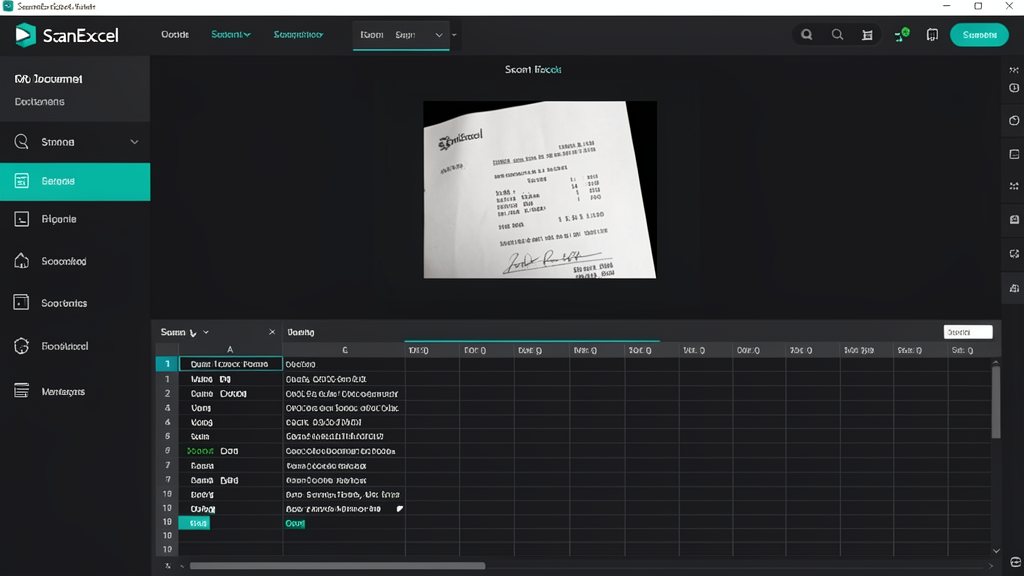
Turns scanned receipts, invoices, and handwritten notes into editable spreadsheet rows.
The Problem
Why this exists
Every week I'd watch small business owners manually type receipt lines into spreadsheets. It's mind-numbing work and mistakes slip in constantly. A photo of a receipt should just become a row in a spreadsheet without someone retyping it.
How It Works
From input to outcome
Snap or paste
Take a photo of a receipt, scan an invoice, or paste raw text. The pipeline handles all three input types.
Extract and review
OCR pulls the text, then layout heuristics identify date, vendor, line items, and totals. The result appears as structured rows. You correct any misreads before export — because automated bookkeeping mistakes are worse than manual ones.
Technical Decisions
Why build it this way
Human review before export
I could have made it fully automatic, but financial data is unforgiving. One OCR mistake in a tax filing is a headache nobody needs. The review step catches errors without making the process slow.
Regex + heuristics over LLM
LLMs are slow and unpredictable for receipt parsing. Layout rules and regex patterns handle 95% of receipts in milliseconds. For the weird 5%, the human review step catches them.
Results
What it enables
Data entry drops from 30 minutes to under 5 per receipt batch
Review catches OCR errors before they hit the books
What's Next
Planned improvements
- Multi-language OCR
- Mobile camera capture